

Thread: Table Tools Note+
-
Yesterday, 01:28 #1Templar


- Join Date
- Sep 2018
- Location
- Canada
- Posts
- 113
Table Tools Note+
Table Tools Note+
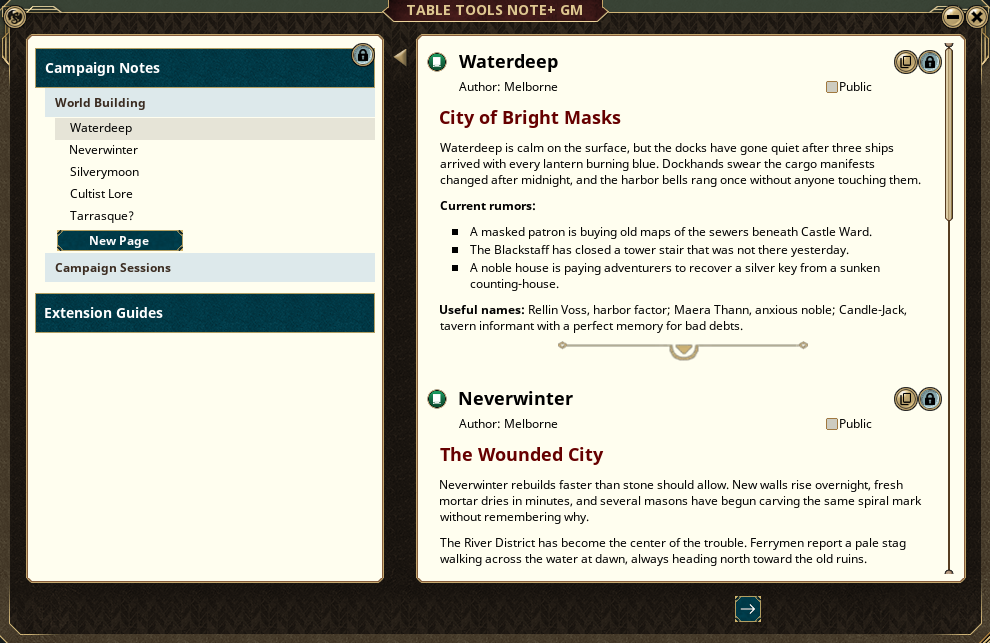
Table Tools Note+ replaces scattered Fantasy Grounds note windows with a Reference Book-style note manager for GMs and players.
Instead of keeping notes as one long flat list, Note+ gives your table a left-side index with Chapters, Subchapters, and Pages, plus a right-side reading/editing pane. It is built to feel like the Fantasy Grounds reference book interface, but for campaign notes, player notes, shared notes, GM notes, and extension help pages.
Forge Link
https://forge.fantasygrounds.com/shop/items/3435/view
This is intended for groups that actually use notes during play: session recaps, clues, lore, quests, handouts, player journals, house rules, extension instructions, prep notes, campaign reference material, and more.
Core Features
- Adds Player Note+ and GM Note+ windows
- Organizes notes into Chapters, Subchapters, and Pages
- Uses a Reference Book-style index and reader
- Supports legacy Fantasy Grounds notes from existing campaigns
- Lets players organize their own notes without losing old notes
- Lets the GM view player notes grouped by owner
- Adds a Public toggle for sharing notes with the table
- Groups shared notes by author
- Keeps shared notes readable without giving other players edit/delete access
- Supports native Fantasy Grounds formatted text
- Supports record links and dropped Fantasy Grounds content where the ruleset allows it
- Supports images, maps, story links, items, NPC links, and other normal FG note content
- Adds author display on notes
- Supports import/export of Note+ XML for moving notes between campaigns
- Supports extension guide pages inside Fantasy Grounds
- Allows other extensions to provide in-game help, how-to pages, examples, images, and links
- Includes a built-in Note+ guide
- Designed for both GMs and players
Player Notes
Players can use Note+ as a campaign notebook. Notes can be organized into custom Subchapters and Pages, then renamed and arranged from the left index.
When a player makes a note Public, it becomes available in the shared note area for the table while still remaining that player’s note.
Don't let your players write notes like mine! Give them Note+
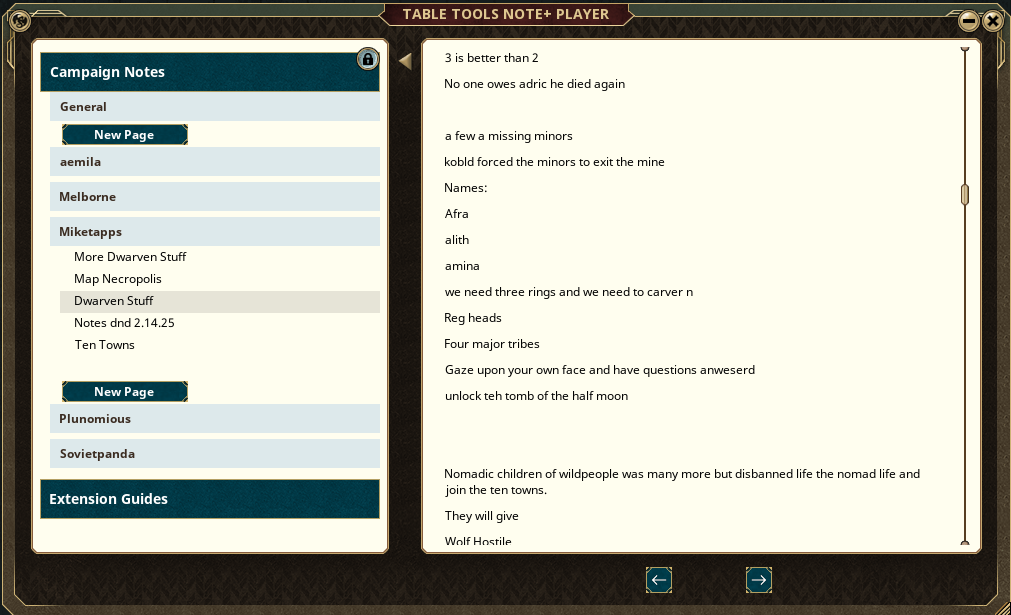
DM viewing Player Notes on a Legacy Game with legacy notes (old campaign folder)
Shared Notes
Shared Notes are grouped by author, making player-to-player information much easier to read than a single pile of public notes.
This is useful for session summaries, clue boards, shared quest notes, loot notes, map notes, party plans, and player-written recaps.Last edited by Melborne; Yesterday at 03:46.
Weekly campaigns deserve better tools.
FGU extensions by Melborne
-
Yesterday, 01:29 #2Templar
- Join Date
- Sep 2018
- Location
- Canada
- Posts
- 113
More About Table Tools Note+
GM Notes
GM Note+ gives the host a separate organized notebook for campaign prep, private notes, reminders, session planning, and reference material.
The GM can also open Player Note+ to review player notes in an organized view grouped by owner. This is useful for seeing what players have written, what they have made public, and how the party is tracking campaign information.
Chapters, Subchapters, and Pages
Note+ uses the same basic structure players already understand from Fantasy Grounds reference books:
- Chapters are the large index headers.
- Subchapters organize topics inside a chapter.
- Pages are the actual notes.
Example organization:
Campaign Notes
- Session Notes
-- Session 0
-- Session 1 - Goblin Ambush
-- Session 2 - Phandalin
World Notes
- Phandalin
-- Important NPCs
-- Shops
-- Rumors
Importing Old Notes
Note+ reads existing Fantasy Grounds notes from the campaign and displays them inside the Note+ structure. This means older campaign notes are not lost when the extension is added.
Old notes can be reorganized into Note+ Chapters and Subchapters so long-running campaigns can clean up years of player notes, GM notes, and public notes.
Import and Export
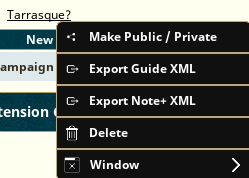
Note+ can export owned notes, sections, or chapters into Note+ XML. This allows users to move notes between campaigns or save organized campaign material outside the campaign database without having to edit xmls or campaign data.
The GM can import Note+ XML back into a campaign.
This can be used for:
- Moving notes between campaigns
- Saving campaign handouts between campaigns and groups
- Preparing reusable note packs
- Sharing organized notes with another table or GM
- Backing up selected Note+ material outside the campaign
Last edited by Melborne; Yesterday at 16:49.
Weekly campaigns deserve better tools.
FGU extensions by Melborne
-
Yesterday, 01:31 #3Templar
- Join Date
- Sep 2018
- Location
- Canada
- Posts
- 113
Extension Guides
Table Tools Note+ can also display guide pages shipped by other extensions.
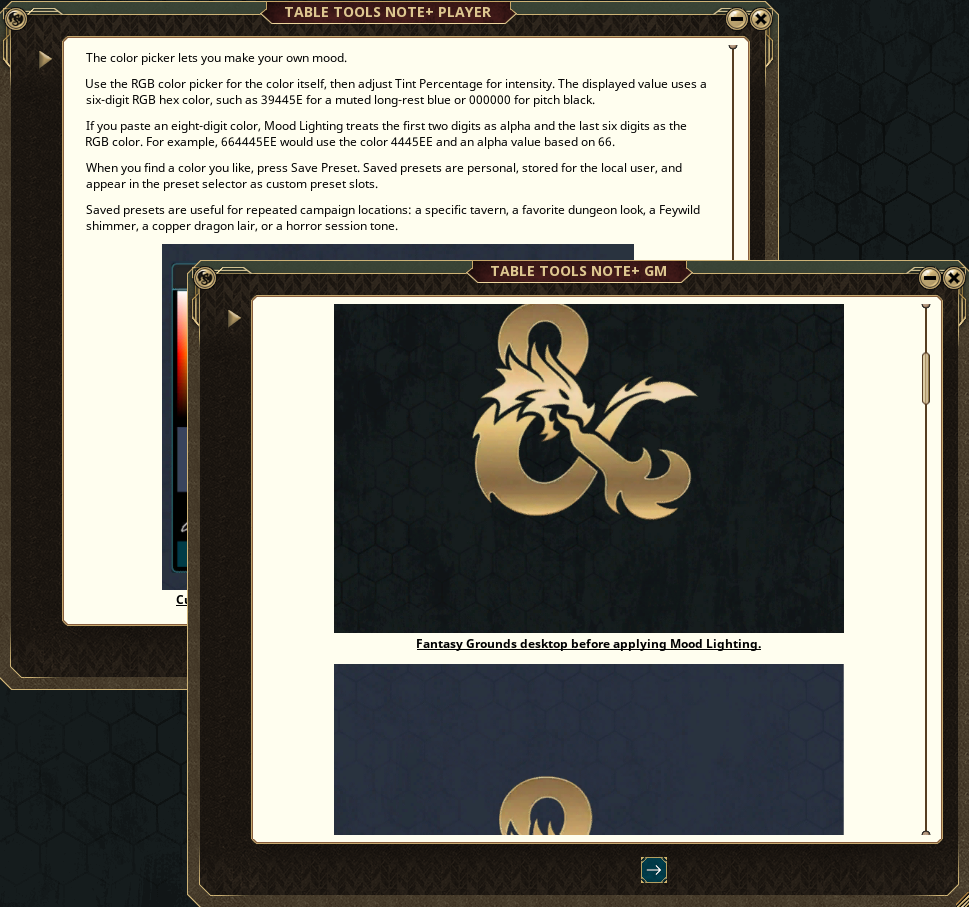
This lets extension developers include instructions, examples, images, links, and changelog-style help directly inside Fantasy Grounds. If a compatible extension includes a Note+ guide package, it appears under Extension Guides.
The Developer Package can be downloaded at the bottom of this post, with a copy of AoE Targeting's package.
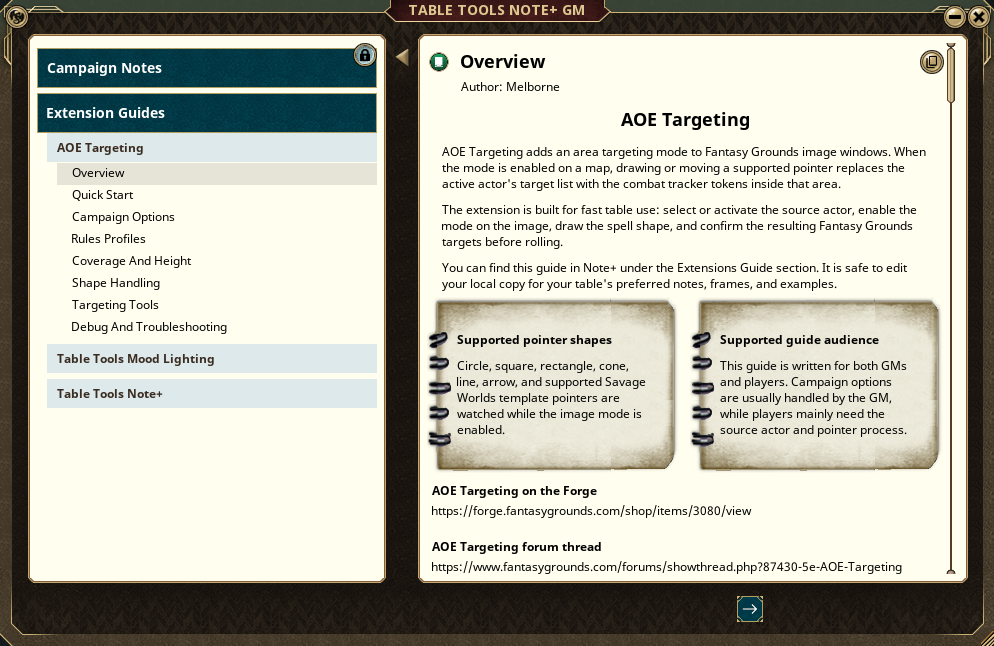
This gives users a place to learn how an extension works without leaving Fantasy Grounds. Along with a place for Developers to post their changelogs in-game, a welcomed and often requested feature!
Examples of Extension Guide Uses
- Quick start pages
- Campaign option explanations
- Feature examples
- Screenshots
- External links
- Player-facing instructions
- GM setup notes
- Extension changelogs
Compatibility
Table Tools Note+ is built around CoreRPG-style Fantasy Grounds records and is declared for many CoreRPG-based rulesets, including 5E, Pathfinder, Savage Worlds, Call of Cthulhu, Rolemaster Classic, Starfinder, Shadowdark, and others.
Notes
Note+ does not replace Fantasy Grounds formatted text. It organizes and improves access to it.
Available drag-and-drop behavior depends on what Fantasy Grounds and the active ruleset allow for that record type.
Changelog
Initial release:
- Added Reference Book-style note management for players and GMs
- Added Chapters, Subchapters, and Pages
- Added shared/public note organization
- Added author display
- Added Note+ XML import/export
- Added extension guide support
- Added built-in Note+ guide
- Added broad CoreRPG-based ruleset compatibility
Last edited by Melborne; Yesterday at 16:46. Reason: Rebuilding Developer Package
Weekly campaigns deserve better tools.
FGU extensions by Melborne
-
Yesterday, 02:19 #4Crusader
- Join Date
- Nov 2018
- Posts
- 22
This looks great, but the link to the Forge goes to a blank page that reads 'This item is currently not available.'
Last edited by Toadkiller; Yesterday at 02:48.
-
Yesterday, 03:34 #5Templar
- Join Date
- Sep 2018
- Location
- Canada
- Posts
- 113
Thank you! Originally Posted by Toadkiller
 Weekly campaigns deserve better tools.
FGU extensions by Melborne
-
Yesterday, 09:08 #6Moderators

Immortal
Supreme Deity
- Join Date
- Dec 2014
- Location
- Scotland
- Posts
- 22,674
Nice one.
If there is something that you would like to see in Fantasy Grounds that isn't currently part of the software or if there is something you think would improve a ruleset then add your idea here https://www.fantasygrounds.com/featu...rerequests.php
-
Yesterday, 23:29 #7High Patriarch
- Join Date
- Dec 2016
- Location
- Collierville, TN
- Posts
- 541
This will be nice for my Shadowdark game.
Do you think it is possible to add Traveller, if it does not just work with it anyway???
-
Today, 01:10 #8Templar
- Join Date
- Sep 2018
- Location
- Canada
- Posts
- 113
Thanks! Originally Posted by Zacchaeus
It should just work with it! Originally Posted by claedawg
Weekly campaigns deserve better tools.
FGU extensions by Melborne


 Reply With Quote

Thread Information
Users Browsing this Thread
There are currently 2 users browsing this thread. (1 members and 1 guests)
 Posting Permissions

Bookmarks